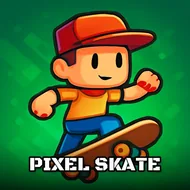
Challenges Skateboard
Instructions:
Desktop Use the right click button to jump Mobile Tap on the screen to jump Controls and indicators Upper left side of the screen has the pause button The scores and levels are shown in the upper middle of the screenDescription
Challenges Skateboard: A Beginner's Guide
First-time players should expect a fast-paced format where timing matters far more than memorizing complicated controls, since Challenges Skateboard boils its core mechanic down to a single, precisely-timed jump input. Getting comfortable with the jump timing on the earliest, simplest obstacles before pushing further into a run tends to build the muscle memory needed for the trickier challenges waiting later on. Watching the score and level indicator at the top of the screen helps track progress without needing to pause and check separately.
Controller & Keyboard Guide
On desktop, right-clicking triggers a jump at the skater's current position, while mobile players simply tap anywhere on the screen to achieve the same result. A pause button sits in the upper left corner of the screen for quick breaks mid-run, and the current score and level both display clearly in the upper middle area throughout play. This single-input control scheme keeps the barrier to entry low while still leaving plenty of room for genuine skill expression through precise timing.
Score-Boosting Tactics
- Practice timing jumps slightly earlier than instinct suggests, since most obstacles reward an early input.
- Watch upcoming obstacles a few steps ahead rather than reacting only at the last moment.
- Use the pause button whenever a level's pattern needs a moment of careful study.
- Replay earlier levels to build consistent timing before attempting the more demanding later challenges.
New players who take the time to learn each obstacle's rhythm early on will find the later, faster-paced challenges considerably more manageable overall.